
Changelog
Stay up to date with the latest improvements, fixes, and updates for CLI Manager.
Claude Code Session Monitoring
Real-time session status monitoring inspired by claude-squad. Track Claude Code sessions with visual indicators in the sidebar.
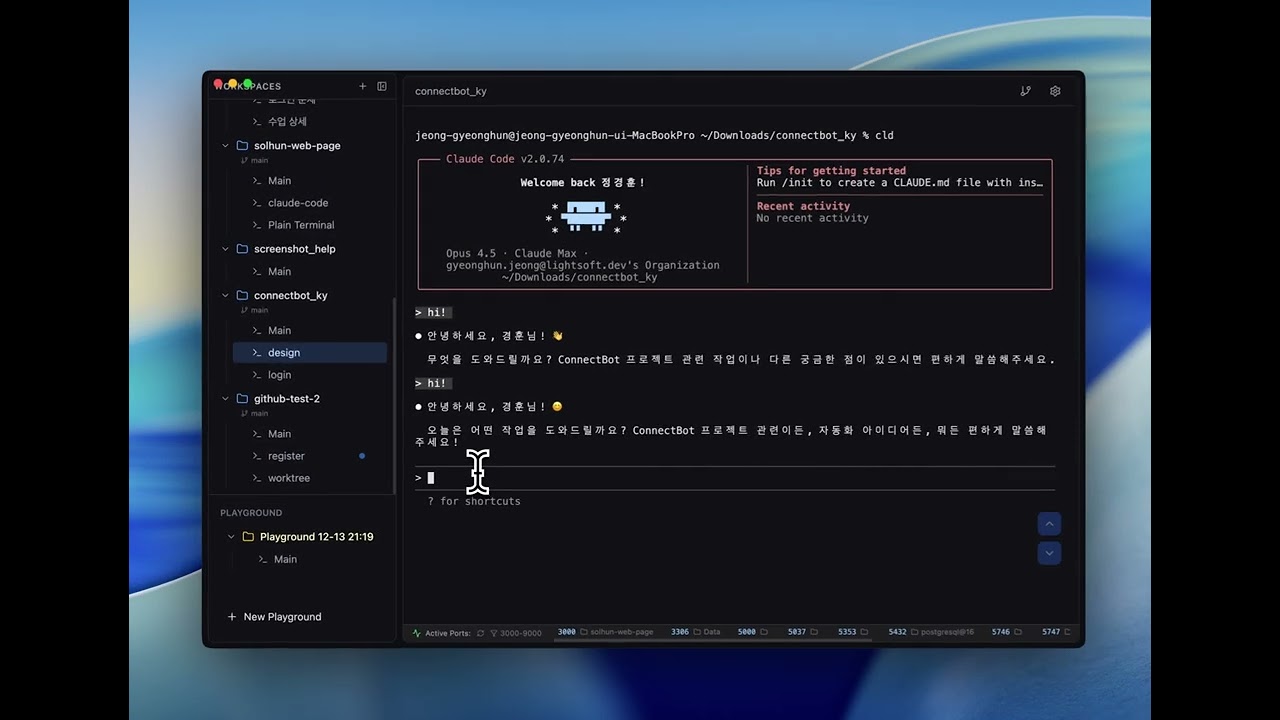
세션 재개·포커스 수정
템플릿(별칭)으로 연 에이전트 세션이 재시작 후에도 대화를 이어가고, AI가 세션을 보여줄 때 키보드를 가져가지 않습니다.
- 셸 별칭(cldy 등)으로 띄운 세션도 추적해서, 재시작하면 원래 명령 그대로 대화를 이어붙입니다
- 준비 명령이 앞에 붙은 템플릿(glm-on && cldy)도 인식합니다
AI Control API
AI가 CLI Manager 안에 터미널 세션을 열고 템플릿을 실행하고 프롬프트를 넣고 결과를 읽을 수 있습니다. 보이지 않는 곳에서 도는 게 아니라 앱 안의 평범한 터미널이라, 진행되는 걸 보면서 직접 끼어들 수 있습니다.
- Settings > Agents 에서 AI Control API 를 켜고, Claude Code 연결 명령(MCP)을 복사해 한 번 실행하면 연결됩니다. MCP 없이 REST 로도 쓸 수 있습니다
- AI 가 연 세션은 사이드바에 녹색으로 표시되고 헤더에 'AI connected' 배지가 붙습니다
- 세션 우클릭 → Disconnect AI 로 언제든 회수할 수 있습니다. 세션은 계속 실행되고 AI 접근만 끊깁니다
- AI 는 자기가 연 세션만 읽고 입력합니다. 직접 연 터미널은 건드리지 못합니다
- 기본 꺼짐 · 127.0.0.1 전용 · 토큰 필수 · Host/Origin 검사
Worktree Toggle & Link Fixes
Reload Worktrees가 터미널 기록을 지우던 문제와 Codex 링크가 열리지 않던 문제를 고쳤습니다. 워크트리와 터미널 파일 링크는 이제 설정에서 끌 수 있습니다.
- 워크트리 숨기기 — Settings > Git에서 끄면 사이드바의 워크트리와 관련 메뉴가 사라지고, 시작 시 워크트리 스캔도 건너뜁니다
- 터미널 파일 링크를 Settings > Editor에서 통째로 끌 수 있습니다
- 파일 경로는 이제 ⌘-클릭할 때만 에디터로 엽니다 — 터미널을 클릭할 때 에디터가 포커스를 가져가지 않습니다
Official Agent Hooks
터미널 출력을 추측하는 대신 Claude Code와 Codex가 직접 알려주는 이벤트로 세션 상태를 판정합니다. 사용량 한도 표시와 앱 안에서의 Diff 리뷰가 함께 들어갔습니다.
- 공식 훅 기반 상태 감지 — 승인 대기를 '작업 완료'와 구분해 앰버 표시와 데스크톱 알림으로 알려줍니다
- 보고 있는 탭까지 정확히 판정합니다 (기존 방식은 비활성 탭만 감지)
- 기존 statusLine·notify 설정은 삭제하지 않고 체인하며, 끄면 원래대로 복구합니다
- 사용량 표시 — Claude Code 5시간·주간, Codex 주간 한도를 제공자 보고값 그대로 보여줍니다
- 도구별 임계값 알림 (기본 80%) — 한도에 막히기 전에 알려줍니다
- Diff 리뷰 — 헤더 버튼으로 에이전트 변경을 검토하고, 라인을 선택해 코멘트를 파일·줄번호와 함께 터미널로 보냅니다
- worktree는 분기 지점 기준 전체 비교라 미커밋 변경과 새로 만든 파일도 보입니다
Loop Dashboard
A dedicated window to monitor and manage Claude Code /loop sessions per project — track iteration counts, status, and timing at a glance, without the extra cost of claude -p.
- New Loop Dashboard window — promote any workspace and watch its /loop run in a separate window
- Per-loop stats modal: iteration timeline, average interval, uptime, and last output preview
- Real-time iteration count, last-loop time, and running/ready/stopped status indicators
- Manual restart with --resume to continue a stopped loop
- Configurable loop-count detection (count mode, debounce, stopped-after threshold)
Scrollback Protection
Major terminal pipeline fixes for CLI tools like Claude Code and Codex. Conversation history is no longer destroyed by screen repaints, and running many terminals no longer pollutes your scrollback.
- Upgraded to xterm 6.0 — screen clears now preserve content in scrollback instead of destroying it
- Hidden terminals defer resize until visible, eliminating repaint storms across sessions
- Terminal output batching for smoother rendering with many sessions
- New automated regression test suite for the terminal pipeline
Memo Shortcut
Quick memo toggle with Cmd+J. Open memo, jot notes, close and focus returns to terminal instantly.
- Session memo keyboard shortcut (Cmd+J)
- Auto-focus textarea on open, cursor at end
- Focus returns to terminal on close
Session Memo
Quick notepad for each terminal session. Jot down notes, commands, or reminders right next to your terminal.
- Added per-session memo notepad with auto-save
- Memo indicator shows on toggle button when notes exist
- Cursor position preserved at end of text when reopening
Sidebar Pin & Folder Grouping
Organize your workspaces with pin-to-top and folder grouping. Pin frequently used workspaces to the top of the sidebar, and group related projects into collapsible folders for a cleaner workspace.
- Pin workspaces to top of sidebar via right-click context menu
- Create folders to group related workspaces together
- Collapse/expand folders to hide unused projects
- Move workspaces between folders via context menu
- Rename and delete folders with right-click
Git Worktree Auto-Sync
Automatically detect and sync git worktrees on app startup. Worktrees created or removed externally are now seamlessly reflected in the workspace list.
- Auto-sync worktree workspaces on app startup via git worktree list
- Reload Worktrees button added to workspace and worktree context menus
- Improved workspace state refresh with refreshWorkspacesFromStore utility
System Monitor
Built-in system resource monitoring with on-demand data fetching
- System Monitor: View CPU, RAM, Disk, Battery, active sessions, and uptime in one click
- On-demand data fetching — no background polling, zero resource overhead
- Color-coded progress bars (blue/yellow/red) for resource usage levels
Session Rename, Git Panel Context Menu & UX Improvements
Quick session renaming, Git panel file actions, and drag-and-drop stability improvements
- Session rename shortcut (⌘R on macOS, Ctrl+R on Windows) with auto terminal focus after rename
- Click port numbers in StatusBar to open localhost URL in browser
- Show session count badge next to workspace names (toggle in Settings > Appearance)
- Git Panel file context menu: right-click files for Open in Editor and Copy Path
Claude Session Restore & Keyboard Shortcuts
Added Claude CLI session restore and customizable keyboard shortcuts
- Claude session auto-restore: Automatically adds --session-id when running claude command
- Resume previous Claude session with --resume on app restart
- Session file validation from ~/.claude/projects/
- Keyboard shortcuts: Cmd+]/[ for tab navigation, Cmd+Shift+]/[ for workspace navigation
- Customizable keyboard shortcuts in Settings
Terminal Management & Template Shortcuts
Improved terminal session management and template shortcut features
- New terminal created with Cmd+T is now auto-selected
- Drag to reorder templates in Settings
- Shortcut numbers displayed next to templates (⌘T+1, ⌘T+2, etc.)
Bug Fix
Terminal scroll fix
Terminal PATH Fix
Fixed command not found errors when launching from Finder/Spotlight
Split View & Grid View
New terminal view modes for enhanced productivity
- Split View: Display multiple terminals in a single window with drag & drop support
- Split View: Horizontal/vertical split and grid layouts, up to 4 terminals side by side
- Grid View: Open terminals in a separate window, monitor up to 4 terminals simultaneously
- Grid View: Perfect for multi-monitor setups
Terminal Font Fix & Settings
Bug fix for terminal font settings and default configuration updates
- Enable Claude Code Hooks by default
File Search & Preview
Major update with file search, preview features, and terminal improvements
- Add file search feature (Cmd+Shift+F for filename/content search)
- Add file preview with syntax highlighting (Cmd+Enter)
- Add image file preview support
- Add sidebar terminal preview on hover
- Add terminal context menu for dragging text to Finder or Editor
Improvements and Bug Fixes
Enhanced external link handling and various bug fixes
- Enhanced openExternal IPC handler
- Open in Finder support
Add Cmd+Click support to open file paths from terminal in configured editor
Terminal Link & Drag-Drop Enhancement
- Add Cmd+Click support to open file paths from terminal in configured editor
- Add clickable URL links in terminal (localhost, https, etc.)
Fix Terminal Freezing Issues
Fix Terminal Freezing Issues
Claude Code Session Monitoring
Real-time session status monitoring inspired by claude-squad. Track Claude Code sessions with visual indicators in the sidebar.
- Add Claude Code session monitoring with Running/Ready status indicators
Add quit confirmation dialog with background mode option
Add quit confirmation dialog with background mode option
- Custom editor command support in Settings
- Add quit confirmation dialog with background mode option